
Joining the resident portal
Create your account with your registration code
For homeowners: use the code from the letter the Board mailed you.
Before you start
- The registration letter the Board mailed to the owner of your home. The code looks like FV-XXXX-XXXX.
- An email address you check.
Steps
-
Step 1: Find your registration letter. Your code 1 is printed in the box on the letter; it only works for your home.
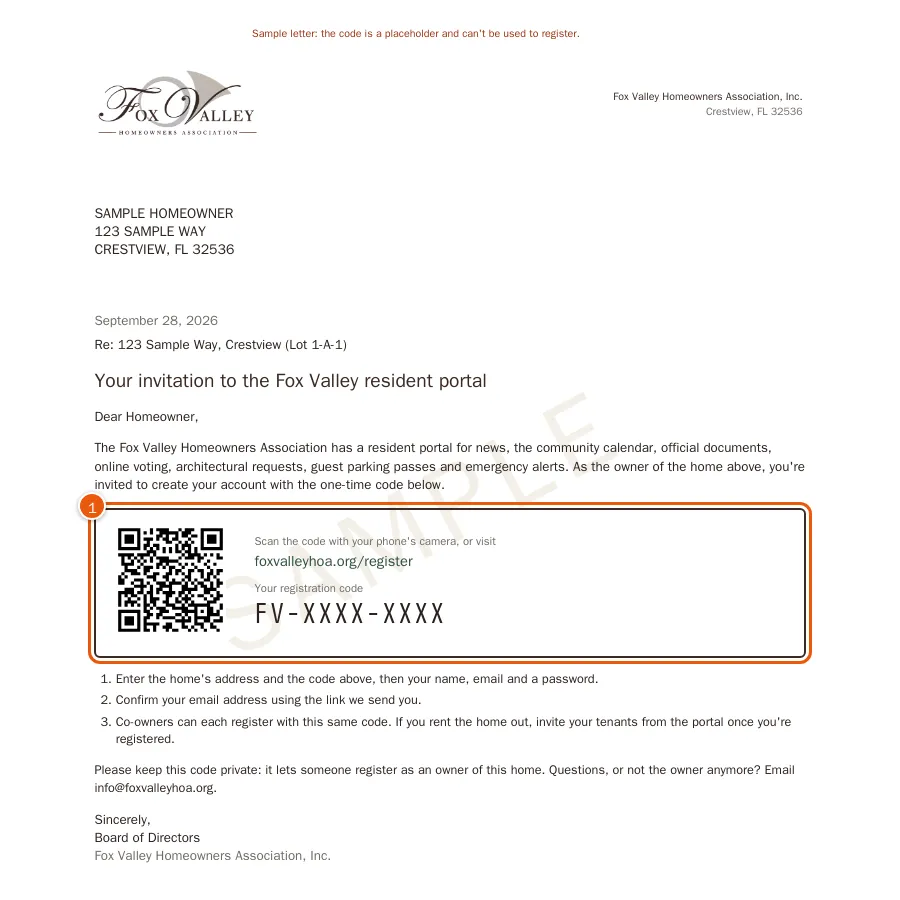
A sample registration letter (the code on yours is different). -
Step 2: Go to Create your account. Start typing your street address 1 and choose your home from the list, then type the Registration code 2 exactly as printed.
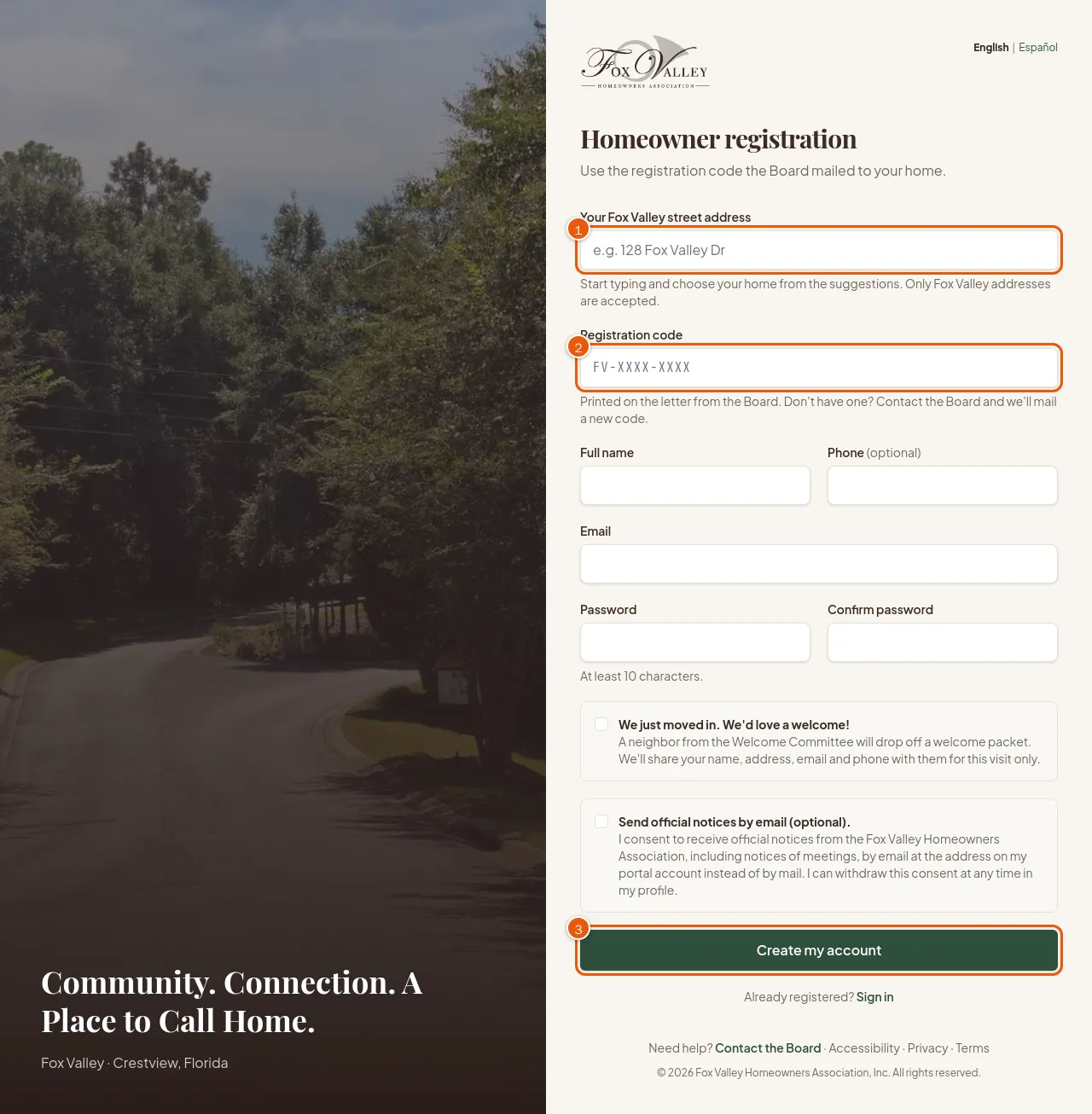
Homeowner registration. -
Step 3: Fill in your Full name, Phone and Email, and choose a Password of at least 10 characters. Tick Send official notices by email if you'd like meeting notices by email instead of paper.
-
Step 4: Choose Create my account 3. We email you a link to confirm your address; open it and you're in.
-
Step 5: Next, invite the rest of your household from My Household in the portal, so everyone has their own login.
Good to know
- Two owners (for example spouses) can both register with the same code.
- Code not accepted? Capital letters and dashes don't matter, and codes never contain the letters O, I or L or the numbers 0 or 1. Check that you chose your own address. Still stuck? See Lost your letter or your code doesn't work.