
Signing in
Forgot your password, or can't sign in
Reset your password by email, and what to check first.
Steps
-
Step 1: On the Sign in page, check you're using the email address you registered with. If you don't remember your password, choose Forgot your password? 1.
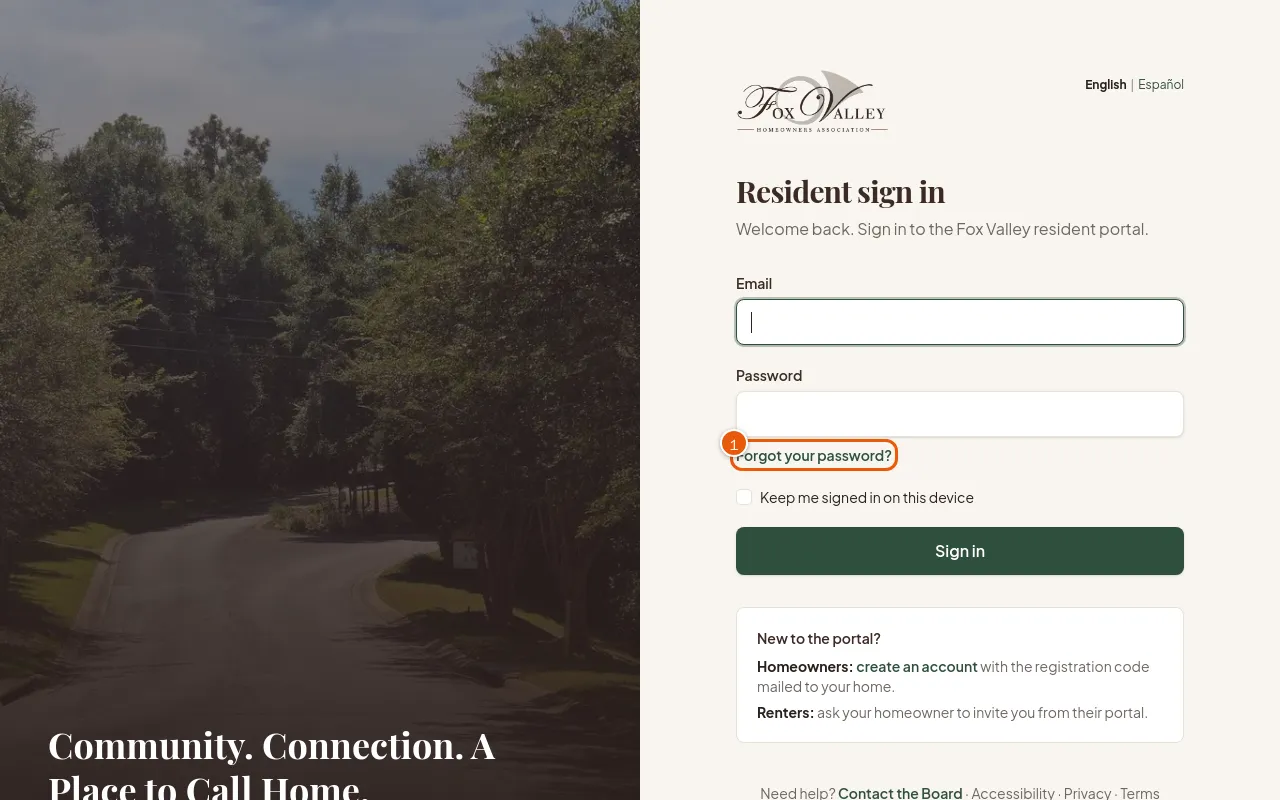
The sign-in page. -
Step 2: Type your Email and choose Email me a reset link.
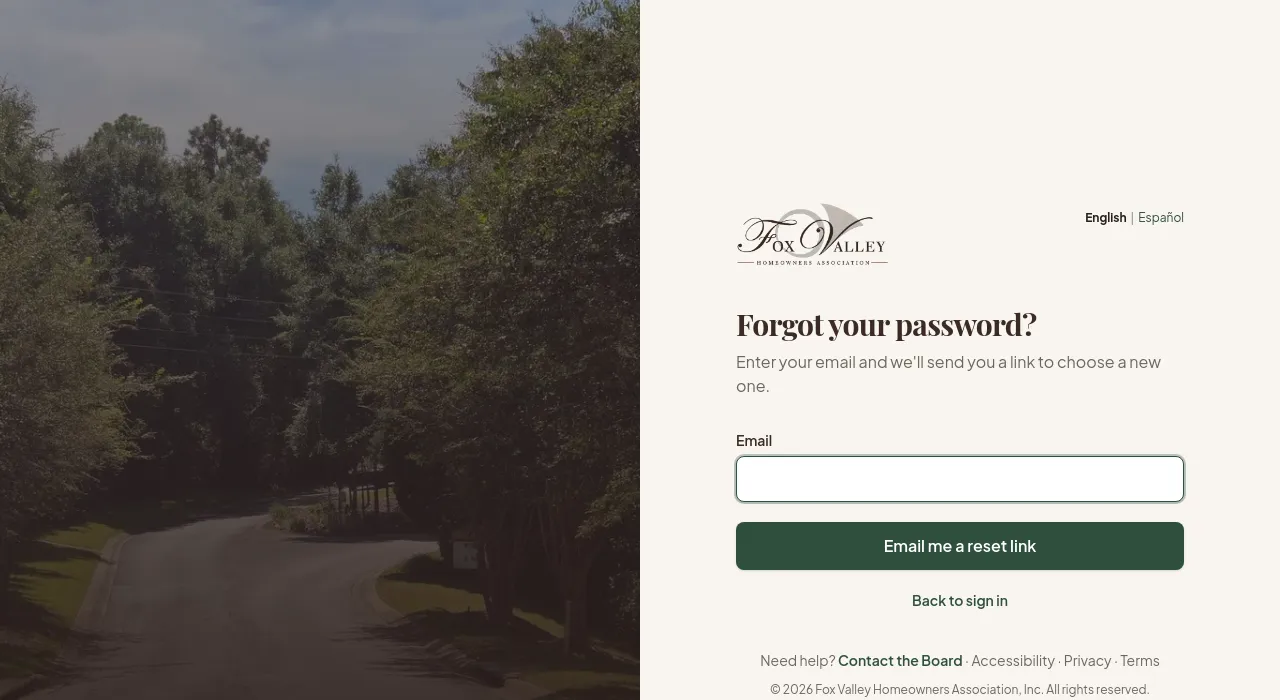
Asking for a reset link. -
Step 3: Open the email (check your spam folder) and choose the link. Choose a new password of at least 10 characters and sign in.
-
Step 4: After five wrong tries in a minute, sign-in pauses briefly. Wait a minute, then try again or reset your password.
Good to know
- Still can't get in? Contact the Board and choose Portal account help.